


Portainer has become one of the most popular platforms for managing Docker and Kubernetes environments thanks to its lightweight deployment, intuitive interface, and generous Community Edition. For many small teams, it provides everything needed to deploy, monitor, and manage containerized workloads from a single dashboard.
As container environments grow, however, some organizations begin looking for alternatives. Larger Kubernetes deployments often require stronger multi-cluster management, governance, identity integration, and enterprise security features. Others are evaluating whether they should continue managing Kubernetes themselves or move to a fully managed platform instead.
This guide compares the best Portainer alternatives in 2026, highlighting where each platform excels, where it falls short, and how to choose the right solution for your container and Kubernetes environment.
The Portainer alternatives covered in this guide are:
- Arcane
- Dockhand
- Dockge
- Coolify
- Dokploy
- CapRover
- Komodo
- Rancher
What is Portainer?
Portainer is a lightweight container management platform that provides a web interface for managing Docker, Docker Swarm, Kubernetes, Podman, and Azure Container Instances (ACI). It simplifies common tasks such as deploying applications, managing containers, viewing logs, and monitoring workloads without relying entirely on the command line.
Portainer is available as a free Community Edition and a commercial Business Edition. While the Community Edition is sufficient for many small teams, the Business Edition adds enterprise features such as single sign-on (SSO), OpenID Connect (OIDC), role-based access control (RBAC), and advanced security and governance capabilities.
As teams adopt more complex container environments, many begin evaluating alternatives that offer stronger deployment workflows, GitOps automation, multi-server management, or enterprise Kubernetes capabilities.
Why teams look for a Portainer alternative
Several common reasons drive organizations to evaluate alternatives to Portainer.
Enterprise features. While Portainer Community Edition covers most day-to-day container management, advanced capabilities such as single sign-on (SSO), OpenID Connect (OIDC), granular role-based access control (RBAC), and enhanced security features are only available in the Business Edition.
Growing Kubernetes environments. Portainer works well for small to medium-sized deployments, but organizations managing multiple Kubernetes clusters often require stronger governance, policy enforcement, and centralized lifecycle management.
Deployment workflow. Many teams eventually outgrow Portainer's focus on container management and look for platforms with Git-based deployments, built-in automation, application delivery, or enterprise Kubernetes capabilities.
With these considerations in mind, here's what to look for when comparing Portainer alternatives.
What to look for in a Portainer alternative
When comparing Portainer alternatives, focus on the capabilities that best match your container and Kubernetes environment:
- Container and Kubernetes support. Choose a platform that supports the container technologies you use today, whether that's Docker, Kubernetes, Podman, or Docker Swarm.
- Multi-server or multi-cluster support. If you're managing more than one Docker host or Kubernetes cluster, look for centralized management and automation.
- Identity and access management. Features such as single sign-on (SSO), OpenID Connect (OIDC), and role-based access control (RBAC) become increasingly important as teams grow.
- Security and compliance. Features such as vulnerability scanning, audit logging, policy enforcement, and role-based access control become increasingly important as deployments grow.
- Automation and GitOps. Native support for GitOps workflows, infrastructure as code, and continuous deployment can simplify day-to-day operations.
- Scalability. Ensure the platform can support your organization's future growth, from a handful of hosts to large Kubernetes deployments.
- Licensing and pricing. Compare the features available in free and commercial editions to ensure the platform fits both your technical and budget requirements.
Use these criteria to evaluate the alternatives in this guide and choose the platform that best matches your infrastructure and team.
The best Portainer alternatives
1. Arcane
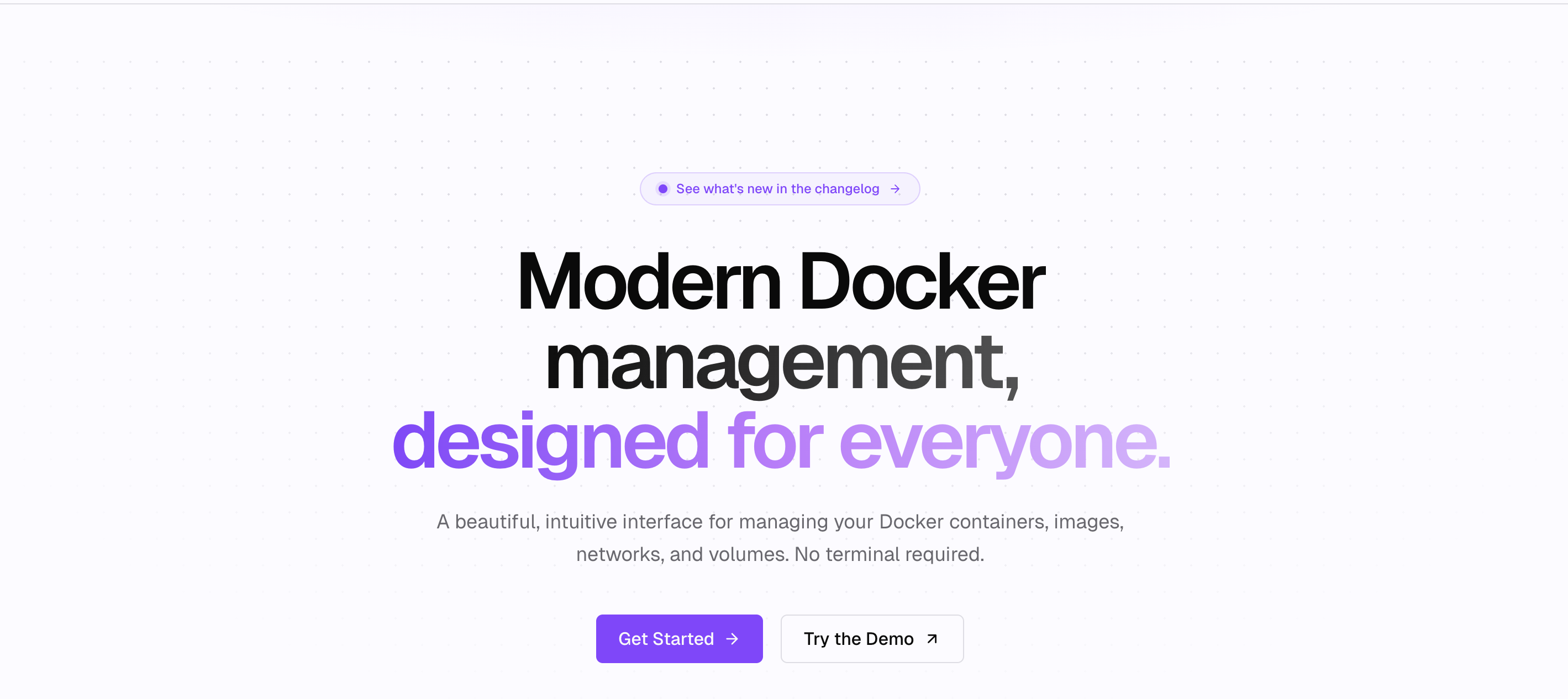
Arcane is a lightweight, open-source container management platform designed around Docker Compose rather than abstracting it away. Unlike Portainer, which stores compose stacks internally, Arcane works directly with standard compose files on disk, making it easier to manage infrastructure using Git, SSH, and existing Docker workflows.
Key features
- Native Docker Compose management using standard compose files
- Built-in Git synchronization for GitOps-based deployments
- Multi-environment management from a single dashboard
- Automatic container updates with dependency-aware scheduling
- REST API and lightweight Go-based architecture
Strengths
- Compose files remain accessible on disk instead of being hidden inside the application, allowing teams to continue using standard Docker Compose workflows.
- Built-in Git synchronization makes version control and deployments simpler than Portainer's default workflow.
- Community users consistently praise Arcane's cleaner interface, better mobile experience, and more predictable deployment process after migrating from Portainer.
Weaknesses
- Still a relatively new project with a smaller ecosystem than Portainer.
- Primarily designed for Docker Compose environments rather than Kubernetes.
Pricing
Free and open source under the BSD 3-Clause License.
Why choose Arcane
Arcane is the closest all-around replacement for Portainer if your workloads are primarily built around Docker Compose. It removes many of the workflow frustrations users report with Portainer while keeping deployments lightweight, Git-friendly, and easy to manage.
2. Dockhand
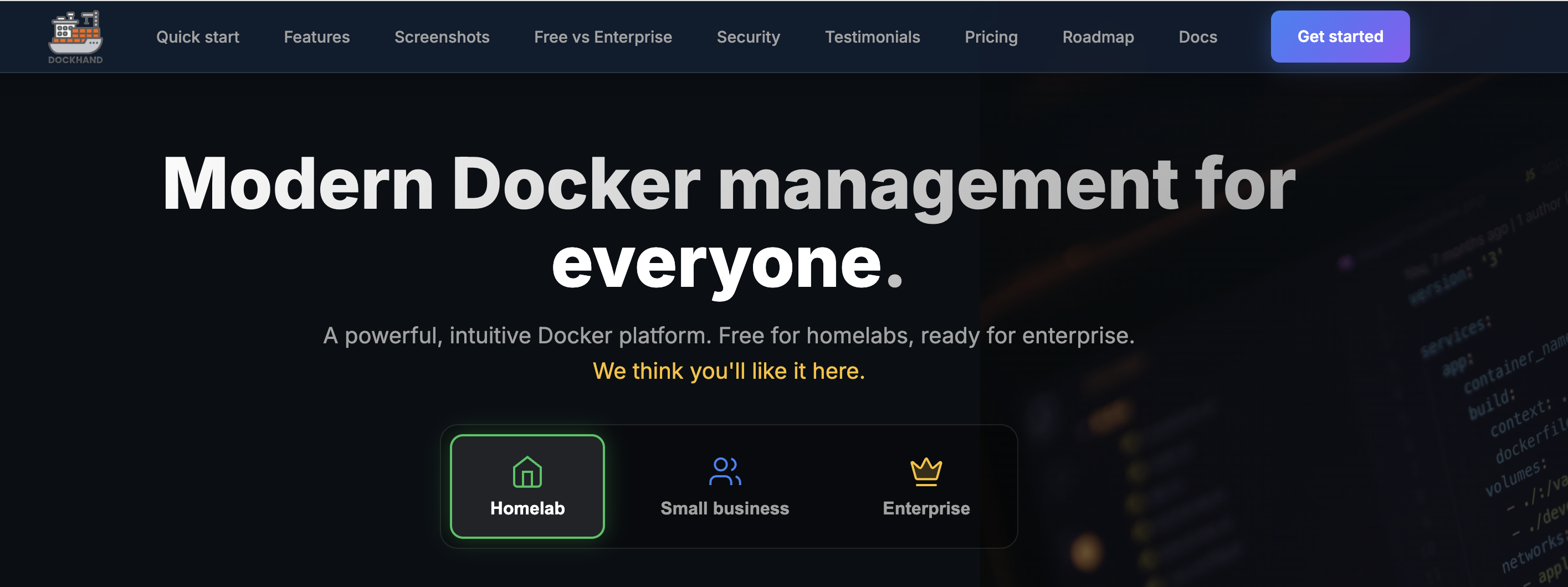
Dockhand is an open-source Docker management platform built for users who want more control over container operations without the complexity of a full platform-as-a-service. Compared to Portainer, it focuses on improving day-to-day container management with built-in vulnerability scanning, scheduled updates, and a workflow that keeps Docker Compose at the center.
Key features
- Native Docker Compose management
- Built-in vulnerability scanning with Grype and Trivy
- Scheduled and selective container updates
- Integrated log viewer and file browser
- Multi-environment support
Strengths
- Includes built-in vulnerability scanning and update automation that Portainer does not provide out of the box.
- Works directly with existing Docker environments, making migration straightforward without changing deployment workflows.
- Community users frequently highlight its integrated log viewer, lightweight design, and non-intrusive approach to managing Docker environments.
Weaknesses
- Newer project with a smaller community and fewer learning resources than Portainer.
- Focused on Docker environments and does not provide advanced Kubernetes management capabilities.
Pricing
Free and open source.
Why choose Dockhand
Choose Dockhand if you want a lightweight replacement for Portainer that prioritizes security, Docker Compose management, and operational simplicity. It's particularly well suited to teams that want built-in vulnerability scanning and a more streamlined day-to-day management experience without adding unnecessary complexity.
3. Dockge
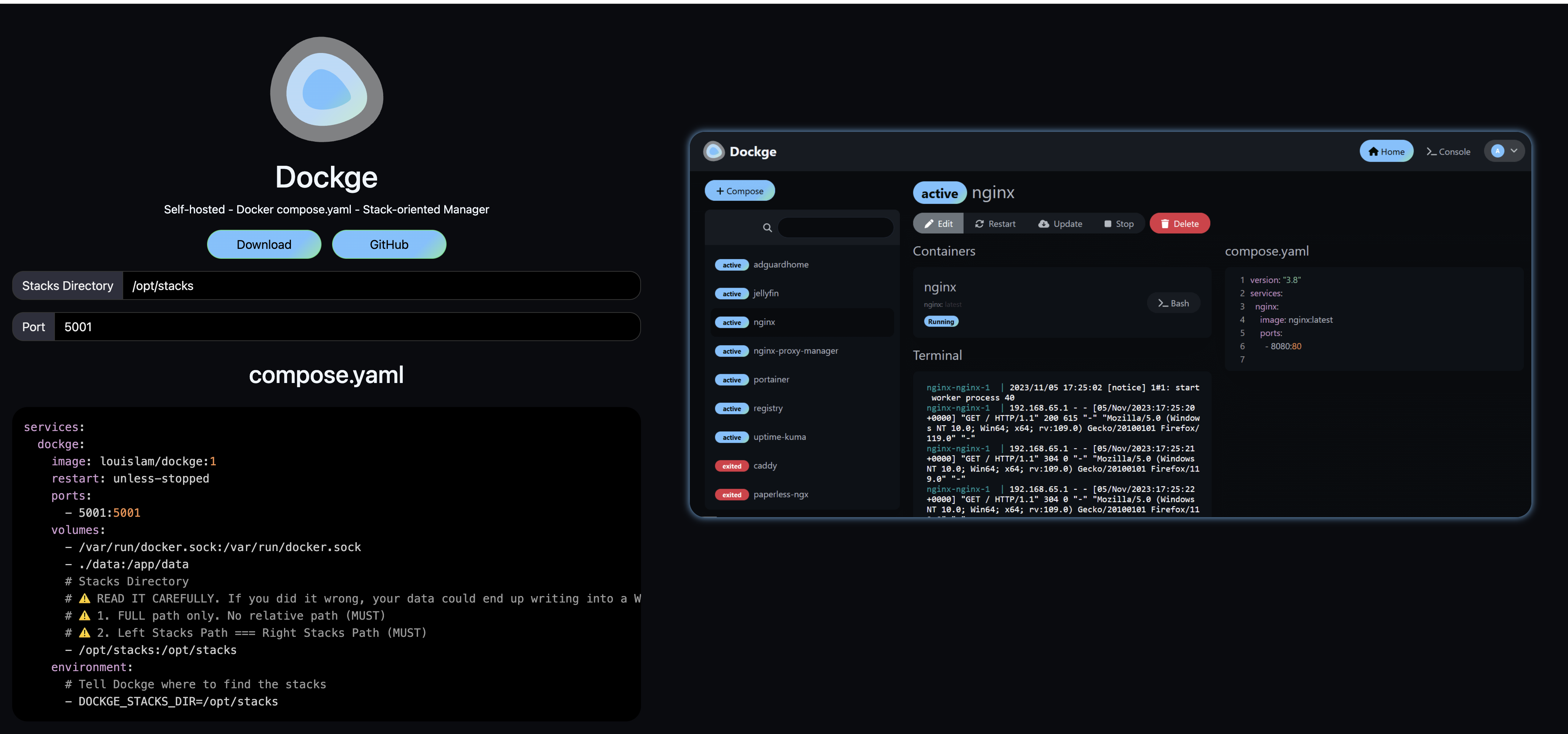
Dockge is a lightweight Docker Compose management platform developed by the creator of Uptime Kuma. Unlike Portainer, which abstracts Docker Compose behind its own interface, Dockge works directly with standard compose files, making it a popular choice for users who prefer to keep their deployments simple and transparent.
Key features
- Native Docker Compose management
- Direct editing of standard
docker-compose.ymlfiles - Built-in terminal and log viewer
- Container lifecycle management
- Lightweight, self-hosted deployment
Strengths
- Uses standard Docker Compose files stored on disk, allowing teams to continue using familiar Docker workflows without relying on proprietary project storage.
- Extremely lightweight and easy to deploy, making it well suited to homelabs and small self-hosted environments.
- Community users frequently praise its simplicity, accessible log viewer, and straightforward Docker Compose management compared to Portainer's more complex interface.
Weaknesses
- Focuses exclusively on Docker Compose and lacks many of the automation, GitOps, and enterprise features offered by newer alternatives.
- Limited support for advanced multi-server management and Kubernetes deployments.
Pricing
Free and open source under the MIT License.
Why choose Dockge
Choose Dockge if you want the simplest possible replacement for Portainer. It stays close to the native Docker Compose workflow, is easy to deploy, and removes much of the abstraction that many users find frustrating in Portainer while remaining lightweight and easy to maintain.
4. Coolify

Coolify is an open-source, self-hosted platform-as-a-service (PaaS) that simplifies application deployment across Docker, Docker Compose, and Kubernetes. Unlike Portainer, which focuses on managing existing containers, Coolify is built around deploying applications directly from Git repositories with automated builds, SSL certificates, and continuous deployment.
Key features
- Git-based application deployments
- Automatic SSL certificate provisioning with Let's Encrypt
- Support for Docker, Docker Compose, and Kubernetes
- Built-in continuous deployment (CI/CD) workflows
- Database and application templates
Strengths
- Provides a complete application deployment workflow, allowing developers to deploy directly from Git repositories instead of manually managing Docker Compose stacks.
- Automates SSL certificate management and deployments, reducing the operational overhead compared to Portainer.
- Large and active open-source community with frequent releases and broad support for self-hosted applications.
Weaknesses
- More opinionated than Portainer, making it less suitable for users who simply want a lightweight Docker management interface.
- The broader feature set introduces a steeper learning curve than simpler Compose-focused tools like Dockge or Arcane.
Pricing
Free and open source under the Apache 2.0 License. Coolify Cloud is available as a hosted commercial offering.
Why choose Coolify
Choose Coolify if you're looking for more than a container management dashboard. Its Git-based deployment workflows, automated SSL provisioning, and built-in application platform make it an excellent choice for teams that want to self-host applications with minimal operational effort, rather than simply managing existing Docker containers.
5. Dokploy
Dokploy is an open-source application deployment platform built for Docker and Docker Compose environments. Like Coolify, it focuses on deploying applications directly from Git repositories, but with a simpler interface and a lightweight architecture that appeals to self-hosters and small development teams.
Key features
- Git-based application deployments
- Docker and Docker Compose support
- Automatic SSL certificate management
- Built-in continuous deployment (CI/CD)
- One-click application, database, and service deployment
Strengths
- Simplifies application deployment by automating builds and deployments directly from Git repositories, reducing the manual Docker management required in Portainer.
- Clean, modern interface designed around application deployment rather than low-level container administration.
- Lightweight and easy to self-host while supporting a wide range of applications and databases.
Weaknesses
- Smaller community and ecosystem than more established platforms such as Coolify and Portainer.
- Focuses on application deployment rather than advanced container management, making it less suitable for users who need fine-grained control over Docker environments.
Pricing
Free and open source under the Apache 2.0 License.
Why choose Dokploy
Choose Dokploy if your priority is deploying applications rather than managing containers. Its Git-based workflows, automated deployments, and simple user experience make it a strong alternative for developers looking to move beyond Portainer's container-centric approach without adopting a more complex platform.
6. CapRover
CapRover is an open-source, self-hosted platform-as-a-service (PaaS) that simplifies deploying and managing applications on Docker. Unlike Portainer, which focuses on container management, CapRover is designed to automate application deployment with Git integration, one-click apps, and built-in reverse proxy support.
Key features
- Git-based application deployments
- One-click deployment for popular open-source applications
- Automatic HTTPS with Let's Encrypt
- Built-in reverse proxy and load balancing
- Docker-based application hosting
Strengths
- Automates application deployment and SSL certificate management, reducing much of the manual configuration required when using Portainer.
- Includes a large catalog of one-click applications, making it easy to deploy common services without writing Docker Compose files.
- Mature project with a stable community and years of production use.
Weaknesses
- Primarily designed for application deployment rather than low-level Docker or container management.
- Less suited to users who need detailed container administration or advanced Kubernetes support.
Pricing
Free and open source under the Apache 2.0 License.
Why choose CapRover
Choose CapRover if your goal is to deploy and host applications with as little operational overhead as possible. Its built-in Git deployments, automatic SSL, and one-click application catalog make it a strong alternative for teams looking to move beyond Portainer's container-focused workflow toward a more streamlined application platform.
7. Komodo
Komodo is an open-source deployment and infrastructure management platform designed for teams managing applications across multiple Docker hosts. Unlike Portainer, which focuses on container management, Komodo combines Git-based deployments, build automation, and multi-server orchestration into a single platform.
Key features
- GitOps-based application deployments
- Multi-server Docker management
- Built-in build and deployment pipelines
- Automated updates and deployment workflows
- Docker Compose support
Strengths
- Combines deployment automation and infrastructure management, allowing teams to build, deploy, and manage applications from a single interface.
- Designed for multi-server environments, making it easier to manage distributed Docker deployments than Portainer.
- Frequently recommended by self-hosting communities for its automation capabilities and flexibility, particularly for users looking beyond basic container management.
Weaknesses
- More developer-focused than Portainer, with a steeper learning curve for users who only need a simple container management interface.
- Smaller community and fewer third-party resources than more established platforms.
Pricing
Free and open source under the GNU General Public License v3.0 (GPL-3.0).
Why choose Komodo
Choose Komodo if you're managing applications across multiple Docker servers and want built-in GitOps workflows and deployment automation. It offers significantly more automation than Portainer, making it well suited to development teams that prefer infrastructure and deployments to be managed from code rather than through manual container operations.
8. Rancher
Rancher is an open-source Kubernetes management platform designed to provision, manage, and secure Kubernetes clusters across on-premises, cloud, and edge environments. While Portainer provides basic Kubernetes support, Rancher offers enterprise-grade capabilities for organizations running Kubernetes at scale.
Key features
- Multi-cluster Kubernetes management
- Centralized role-based access control (RBAC)
- GitOps deployment with Fleet
- Kubernetes cluster provisioning and lifecycle management
- Built-in monitoring, security, and policy management
Strengths
- Purpose-built for Kubernetes, providing significantly deeper cluster management and governance capabilities than Portainer.
- Simplifies managing multiple Kubernetes clusters from a single control plane, making it well suited to production environments.
- Large open-source community with broad ecosystem support and integrations across major Kubernetes distributions.
Weaknesses
- More complex to deploy and operate than Portainer, particularly for teams managing only Docker or Docker Compose workloads.
- Focused exclusively on Kubernetes and does not provide the same lightweight Docker container management experience as Portainer.
Pricing
Rancher Community is free and open source. Rancher Prime is available under commercial subscription pricing.
Why choose Rancher
Choose Rancher if Kubernetes has become the primary platform for running your applications. Its multi-cluster management, governance, and lifecycle capabilities make it a stronger choice than Portainer for organizations managing production Kubernetes environments, while Portainer remains better suited to simpler Docker and Docker Compose deployments.
How to choose the right Portainer alternative
The best Portainer alternative depends on how you deploy and manage your applications.
- Managing Docker Compose on a single server or homelab: Choose Dockge if you want a lightweight interface that stays close to the native Docker Compose workflow. If you're looking for Git-based deployments, automatic SSL, and built-in application management, Coolify, Dokploy, or CapRover are better choices.
- Managing Docker across multiple servers: Komodo is well suited to teams that want Git-based deployments, build automation, and centralized management across multiple Docker hosts. Arcane is an excellent alternative if you prefer a lightweight Docker Compose manager with Git integration and a modern user experience.
- Running Kubernetes in production: Rancher is the strongest choice for organizations managing Kubernetes clusters at scale, offering centralized governance, multi-cluster management, and enterprise-grade lifecycle management.
- Looking to reduce infrastructure management: If your goal is to stop managing container infrastructure altogether, consider a managed Kubernetes platform such as Rackspace Spot. It provides a fully managed Kubernetes service with a free control plane, allowing your team to focus on deploying and scaling applications rather than operating Kubernetes itself.
Managed Kubernetes vs Portainer: Which is right for you?
Every platform in this guide assumes you'll continue managing Docker or Kubernetes yourself. For many teams, that's exactly what's needed. For others, it's the operational burden they're trying to eliminate.
If your goal is to deploy containerized applications without managing Kubernetes clusters, a managed Kubernetes platform may be a better fit.
Rackspace Spot provides fully managed Kubernetes with a free control plane, built-in autoscaling, and support for both on-demand and spot instances. Instead of spending time managing container infrastructure, teams can focus on building and deploying applications.
Frequently Asked Questions
What is the best Portainer alternative?
The best Portainer alternative depends on your requirements. Arcane is a strong all-around replacement for Docker Compose management, Dockhand adds built-in vulnerability scanning and update automation, while Coolify and Dokploy are better suited to teams looking for Git-based application deployments. Rancher is the strongest option for Kubernetes-focused environments. If your goal isn't to replace Portainer but to stop managing container infrastructure altogether, it's also worth evaluating a managed Kubernetes platform such as Rackspace Spot.
Is Portainer still a good choice?
Yes. Portainer remains a solid choice for managing Docker and Kubernetes environments through a simple web interface. However, teams with more advanced requirements—such as GitOps workflows, automated application deployments, enterprise authentication, or Kubernetes management at scale—may benefit from one of the alternatives in this guide.
Is there a free alternative to Portainer?
Yes. Arcane, Dockhand, Dockge, Coolify, Dokploy, Komodo, CapRover, and Rancher Community are all available as free, open-source software, although some also offer optional commercial editions or hosted services.
What is the best open-source Portainer alternative?
For Docker Compose management, Arcane is one of the strongest open-source alternatives thanks to its Git integration, lightweight architecture, and modern user experience. If you're looking for a self-hosted application platform, Coolify and Dokploy are also excellent open-source options.
Is Dokploy better than Portainer?
It depends on your workflow. Dokploy is designed for deploying applications directly from Git repositories with automated deployments and SSL management, while Portainer focuses on managing existing Docker and Kubernetes environments. If your priority is application delivery rather than container administration, Dokploy is often the better choice.
Can I self-host a Portainer alternative?
Yes. Every alternative covered in this guide, Arcane, Dockhand, Dockge, Coolify, Dokploy, CapRover, Komodo, and Rancher Community Edition,can be self-hosted.
Do I need a container management platform?
Not always. Tools like Arcane, Dockhand, Dockge, Coolify, Dokploy, CapRover, Komodo, and Rancher are designed for teams that want to manage Docker or Kubernetes environments themselves. If your goal is simply to deploy applications without operating the underlying Kubernetes infrastructure, a managed Kubernetes platform such as Rackspace Spot may be a better option.
Can I replace Portainer with a managed Kubernetes platform?
It depends on your requirements. If you need a dashboard for managing existing Docker or Kubernetes environments, Portainer and the alternatives in this guide are the better fit. If you're looking to reduce the operational overhead of running Kubernetes altogether, a managed platform such as Rackspace Spot can simplify cluster management while providing a Kubernetes-native environment.
Is Docker still relevant in 2026?
Yes. Docker remains one of the most widely used container technologies for development and self-hosting. Many of the platforms covered in this guide either build directly on Docker or support Docker Compose as a primary deployment method.
Why are people looking for Portainer alternatives?
As teams' requirements evolve, they often need capabilities beyond Portainer's core container management features. Common reasons include Git-based deployment workflows, automated application delivery, stronger security and governance features, multi-server management, and more advanced Kubernetes capabilities.