


"AWS is ridiculously expensive when it comes to running a database and a web server 24/7. To be honest, I can't afford it. Is there a cheaper alternative to it?"
AWS is one of the largest cloud providers in the world, but definitely not the cheapest and most teams looking for cheaper alternatives remain because of vendor-lock in. Meanwhile, cheaper alternatives that can handle the same workloads already exist.
The options for AWS alternatives in 2026 range from hyperscalers that match AWS feature-for-feature, to developer-friendly platforms like Rackspace Spot that solve the cost problem at a more fundamental level. The right answer depends entirely on your workload.
This guide covers 10 AWS alternatives in 2026, with honest assessments of pricing, workload fit, strengths, and the specific teams each one is built for.
Here is a quick look at the 10 AWS alternatives covered in this guide:
- Rackspace Spot
- Platform9
- DigitalOcean
- Google Cloud Platform
- Microsoft Azure
- Vultr
- Hetzner
- Oracle Cloud Infrastructure
- Akamai Connected Cloud
- IBM Cloud
What is AWS?
Amazon Web Services (AWS) is Amazon's cloud computing platform, launched in 2006 and now the largest cloud provider in the world. It holds approximately 30-32% of the global cloud market in 2026, ahead of Microsoft Azure and Google Cloud. By 2026, the network spans over 35 geographic regions, each containing multiple isolated Availability Zones, with more than 100 availability zones in total.AWS provides on-demand access to computing power, storage, databases, and networking tools, allowing companies to deploy applications without managing physical servers. Its catalog now covers 240-plus services, from raw compute and object storage to machine learning, video streaming, IoT, and satellite ground stations.
AWS became the default because it was first, has the deepest ecosystem, and most engineers already know it. But for smaller teams and startups running straightforward workloads, that same depth turns into billing complexity that costs more than it should.
Why teams look for AWS alternatives
Unpredictable billing. Compute, storage, networking, and monitoring all bill separately, and costs scale invisibly as your application grows.
Too many overlapping services. Choosing between similar services creates downstream coupling to AWS-specific APIs, raising the cost of migrating later.
Steep learning curve. The AWS console assumes expertise rather than guiding users through it, and meaningful support requires a paid plan.
Vendor lock-in. Proprietary services like Lambda, DynamoDB, and Kinesis have no standard equivalents. Building on them is fast. Migrating off them is expensive.
Cloud repatriation. Teams that over-provisioned AWS after a scaling event are moving workloads back to alternatives after cost overruns.
These are the specific factors to evaluate against when choosing an alternative.
Top AWS alternatives in 2026
1. Rackspace Spot

Rackspace Spot is a cloud platform that provides fully managed Kubernetes infrastructure and virtual machines called Cloudspaces. It offers both on-demand and spot instances, with spot instances priced via an open-market auction where bids start at $0.001/hr, totalling $0.72 per month. Rackspace Spot ranks as one of the top managed Kubernetes service providers and offers the best managed Kubernetes experience built for cost-optimized production workloads.
The 2026 Rackspace Spot report shows that 96.8% of Rackspace Spot users run their workloads entirely on spot instances, even when on-demand is available. This includes stateful workloads, because interruption rates on the platform are 0.1%, giving users the confidence to commit fully to spot.
The history of AWS spot instances shows that AWS previously ran an open-market auction before dismantling it in 2017. Rackspace Spot revives this model with a true auction system, passing price savings directly to users and democratizing access to compute resources.
What does that mean in practice?
For workloads including batch jobs, distributed ML training, and CI/CD pipelines, Rackspace Spot's compute is significantly cheaper than AWS across both on-demand and spot pricing. Reserved instances are no longer necessary to unlock meaningful cost savings. Rackspace Spot's auction model delivers them by default.
Key features:
- Fully managed Kubernetes Cloudspaces with built-in Autoscaler, with Calico and Cilium available as CNI options.
- Open-market auction pricing with bids starting at $0.001/hr for a server and prices set by real supply and demand. This gives engineering teams tighter control over compute costs
- Free kubernetes Control Plane The Kubernetes control plane is fully managed and included at no additional charge. By comparison, AWS can charge up to $72 monthly per cluster for control plane access alone
- Database-as-a-Service (DBaaS) for PostgreSQL For teams evaluating AWS RDS alternatives, Rackspace Spot's DBaaS product delivers fully managed PostgreSQL.
- GitOps-ready infrastructure: Terraform provider support, alongside the spotctl CLI, enables infrastructure-as-code management across development, staging, and production environments
- Persistent Volumes: Rackspace Spot offers Persistent Volumes across SATA (
sata,sata-large) and SSD (ssd,ssd-large,spot-ceph) storage classes, starting at $0.02/GB-month, with high-performance NVMe (ssdv2,ssdv2-performance) available on Gen-2 data centers at $0.06/GB-month. - Load Balancers: Rackspace Spot offers load balancers at a flat $10/month with no per-traffic charges.
Strengths:
- Lowest cost managed Kubernetes: Transparent, market-driven pricing with full visibility into capacity and price thresholds before bidding
- Free control plane: The Kubernetes control plane costs nothing on Rackspace Spot, giving teams immediate cost savings that compound as workloads and cluster count grow
- No long-term contracts: Teams pay for what they use, billed to the second, with no lock-in or commitment required
- GitOps-first architecture: Every cluster resource is fully configurable through Terraform, letting platform teams enforce infrastructure consistency through pull requests and automated pipelines
- Node pre-emption alerts: Teams running spot instances receive advance notifications when nodes face pre-emption, giving engineers time to manage workloads before interruption.
Weaknesses:
- Rackspace Spot currently supports only managed PostgreSQL as its Database-as-a-Service offering, compared to the broader range of managed database services available from other cloud providers
- Smaller regional footprint: fewer data center locations than AWS, which limits options for latency-sensitive or globally distributed deployments
- Server variety is limited to Rackspace's cloud capacity pool: teams needing specific instance configurations may find fewer compute options than AWS provides
Pricing
Compute pricing follows an open market auction model with second-by-second billing. The Kubernetes control plane is included at no charge. Clusters start from $0.72 monthly, while add-ons such as persistent volumes, load balancers, and high-availability control planes follow a predictable usage-based pricing structure. Market rates start from $0.001 per hour per server.
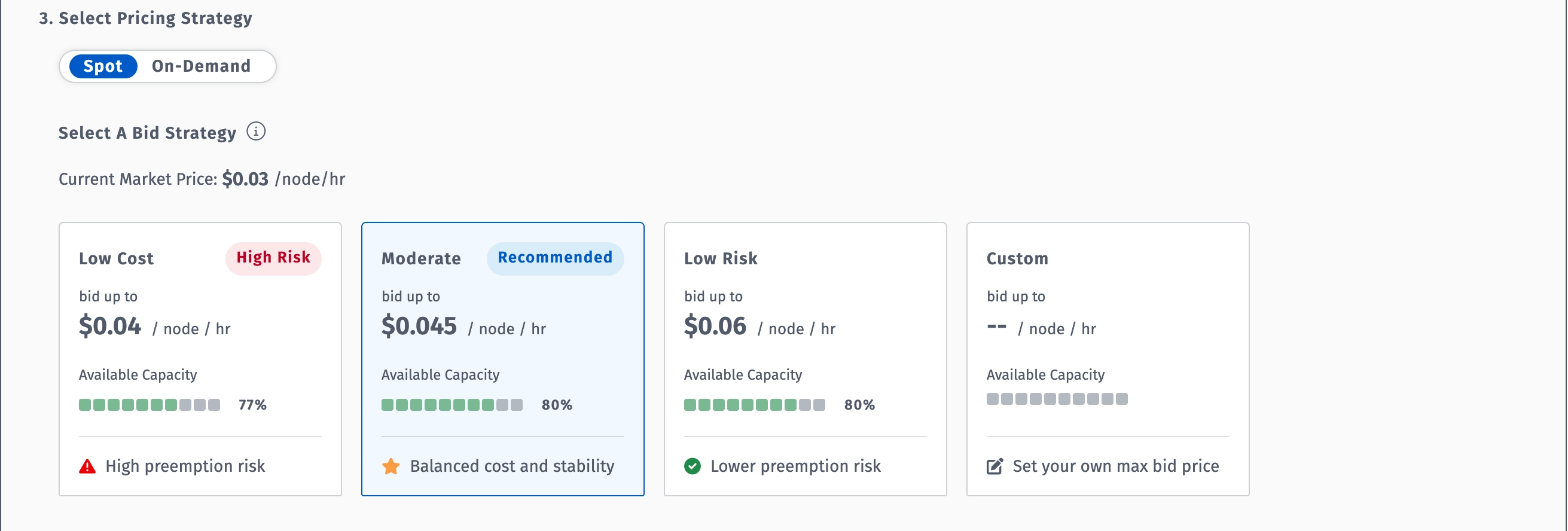
The table below compares AWS Elastic Kubernetes Service (EKS) and Rackspace Spot's managed Kubernetes service across on-demand and spot pricing, based on a standard 3-node cluster with 2 vCPU and 16 GB RAM per node:
At spot pricing, a standard 3-node cluster on Rackspace Spot costs $21.60/month versus $115.50/month on AWS EKS, a saving of over 80%. For a full breakdown of how the two platforms compare, see comparing the top managed Kubernetes providers.
2. Platform9
Platform9 is a managed Kubernetes platform that enables teams to deploy and manage Kubernetes clusters across any infrastructure, including bare metal, private cloud, and public cloud environments. Unlike cloud-native Kubernetes services that tie you to a single provider, Platform9 operates as a SaaS-based control plane that works wherever your compute runs.
Best for: Platform teams managing Kubernetes across hybrid or multi-cloud environments who need cluster portability across providers.
Key features:
- Infrastructure-agnostic managed Kubernetes designed for AI/ML and Dev/Test workloads, with Always-on Assurance offering SaaS-based remote monitoring and guaranteed SLAs
- Hosted Kubernetes control plane supporting worker nodes on bare metal, private cloud VMs, and public cloud infrastructure from a single management layer
- Automated cluster upgrades, security patches, and fully managed monitoring and troubleshooting across multiple points of presence, edge sites, and data centers
- Freedom plan: up to 20 nodes at no cost
Strengths:
- Users consistently praise the ease of use and intuitive interface, particularly for teams moving away from the lock-in of EKS or GKE.
- Customers report scaling private cloud infrastructure 10x in three years without hiring additional staff, citing 50% cost savings over DIY approaches and VM licensing fees
Weaknesses:
- Smaller market share compared to OpenShift may affect long-term support trajectories for some enterprise buyers
- Platform9 hosts the control plane as a SaaS service while you provide the compute nodes. This inverts the typical hosting model and adds operational complexity for teams expecting a fully provisioned experience
Pricing
Freedom plan free up to 20 nodes. Growth plan from under $500/month for up to 50 nodes.
3. DigitalOcean

DigitalOcean is a developer-focused cloud platform built for startups and small-to-medium teams. Flat-rate pricing, no egress fees on most plans, and documentation that assumes you are building, not administering.
Best for: Startups and small engineering teams who need a complete cloud stack without AWS's operational complexity
Key features:
- Droplets (compute) from $4/month with no separate storage billing
- DOKS: managed Kubernetes with a fully managed control plane, high availability, and autoscaling, with Cilium preconfigured for networking
- Managed Databases: PostgreSQL, MySQL, Redis, MongoDB, and Kafka with automated failover and daily backups
- Spaces: S3-compatible object storage with outbound transfer included
Strengths:
- The UI continues to feel like the gold standard for cloud consoles: clean, intuitive, and easy to navigate, with the 2026 shift to per-second billing a significant improvement for batch-processing jobs
- NVMe-backed storage with sequential reads scaling past 1.7 GB/s at 512k block size, outperforming Hetzner's CPX22 at the same block size for database and log-heavy workloads
Weaknesses:
- CPU benchmark performance sits below competitors in the same price bracket in 2026. A Geekbench 6 single-core score of 772 is the honest weak point for CPU-intensive workloads
- No phone support, no money-back guarantee, and a smaller global footprint than Vultr's 32 regions
Pricing
Droplets from $4/month. Managed databases from $15/month. DOKS worker nodes billed as Droplets.
4. Google Cloud Platform
Google Cloud Platform(GCP) is an enterprise hyperscaler with a strong position in machine learning, analytics, and containerized workloads. One of two primary options for teams evaluating alternatives to both AWS and Azure.
Best for: Teams with ML/AI workloads, BigQuery pipelines, or containerized applications needing hyperscaler-grade reliability.
Key features:
- Compute Engine: EC2-equivalent with per-second billing and committed use discounts
- GKE: managed Kubernetes with Autopilot mode for fully managed node provisioning
- BigQuery: Serverless analytics warehouse with petabyte-scale performance
- Vertex AI: integrated ML training, deployment, and monitoring platform
Strengths:
- Google invented Kubernetes, making GKE the most mature managed Kubernetes service from any hyperscaler
- Compute discounts apply automatically the longer an instance runs, unlike AWS which requires upfront commitment
Weaknesses:
- Egress fees and inter-region transfer charges create the same unpredictability as AWS
- Proprietary services create vendor lock-in over time, making migration increasingly difficult the deeper you build into the ecosystem
Pricing
Compute Engine from $0.006/hour. Free tier includes one e2-micro instance per month permanently, with 30 GB standard persistent disk and 1 GB outbound transfer.
5. Microsoft Azure

Microsoft Azure is a cloud computing platform offering a broad range of services including virtual machines, managed Kubernetes, databases, AI tools, and hybrid cloud infrastructure. It is best known for its deep integration with the Microsoft ecosystem, including Windows Server, SQL Server, and Microsoft 365.
Best for: Organizations running Microsoft workloads, teams with existing Windows Server or SQL Server infrastructure, and enterprises that need a proven path from on-premises to the cloud without abandoning their current stack.
Key features:
- Azure Kubernetes Service (AKS)Automatic: managed Kubernetes with Microsoft Entra ID integration, role-based access control, automatic node image patching, and Azure Monitor preconfigured out of the box
- Azure Hybrid Benefit: customers with Windows Server Software Assurance can run AKS on Windows Server and Azure Stack HCI at no additional cost
- Azure Arc: enables consistent configuration and governance across clouds, on-premises, and the edge
Strengths:
- Hybrid cloud integration through Arc allows teams to extend management to on-premises resources without re-platforming first
- Azure Hybrid Benefit produces real compute savings for organizations already paying for Microsoft E3 or E5 licenses, with no AWS equivalent
Weaknesses:
- Pricing complexity mirrors AWS. Egress charges, storage transaction costs, and licensing interactions require the same FinOps attention
- Azure's networking model is the most complex of the three hyperscalers, consistently cited as the primary operational challenge by practitioners
Pricing
Virtual Machines priced per second with no upfront commitment. Azure Kubernetes Service (AKS) control plane is free on the Free tier; production workloads requiring an SLA require the Standard tier which carries an additional charge.
6. Vultr
Vultr is a cloud infrastructure provider offering virtual machines, bare metal servers, GPU instances, Kubernetes, and object storage across 33 global data center regions. It is built for developers and engineering teams that need flexible, straightforward compute without the complexity or pricing overhead of the major hyperscalers.
Best for: Developers and engineering teams that need flexible global compute with straightforward hourly billing and full root access to their infrastructure.
Key features:
- VX1 Cloud Compute: affordable, high-performance enterprise-grade compute for web, app, and data workloads with flexible boot options including local NVMe and Block Storage
- GPU-accelerated instances, bare metal, S3-compatible object storage, and managed databases
- Kubernetes (VKE) with one-click deployment
Strengths:
- Instances provision in under 15 seconds and support up to 50 Gbps networking. Vultr claims up to 82% better performance per dollar compared to hyperscaler cost-optimized instances
- Consistent performance variation of under 4% for CPU and under 7% for disk IOPS across US locations
Weakness:
- Vultr is competitive for the US market but more expensive than European alternatives for EU workloads
Pricing
Cloud Compute from $5/month. Bare metal pricing available on request via the deploy page or API.
7. Hetzner
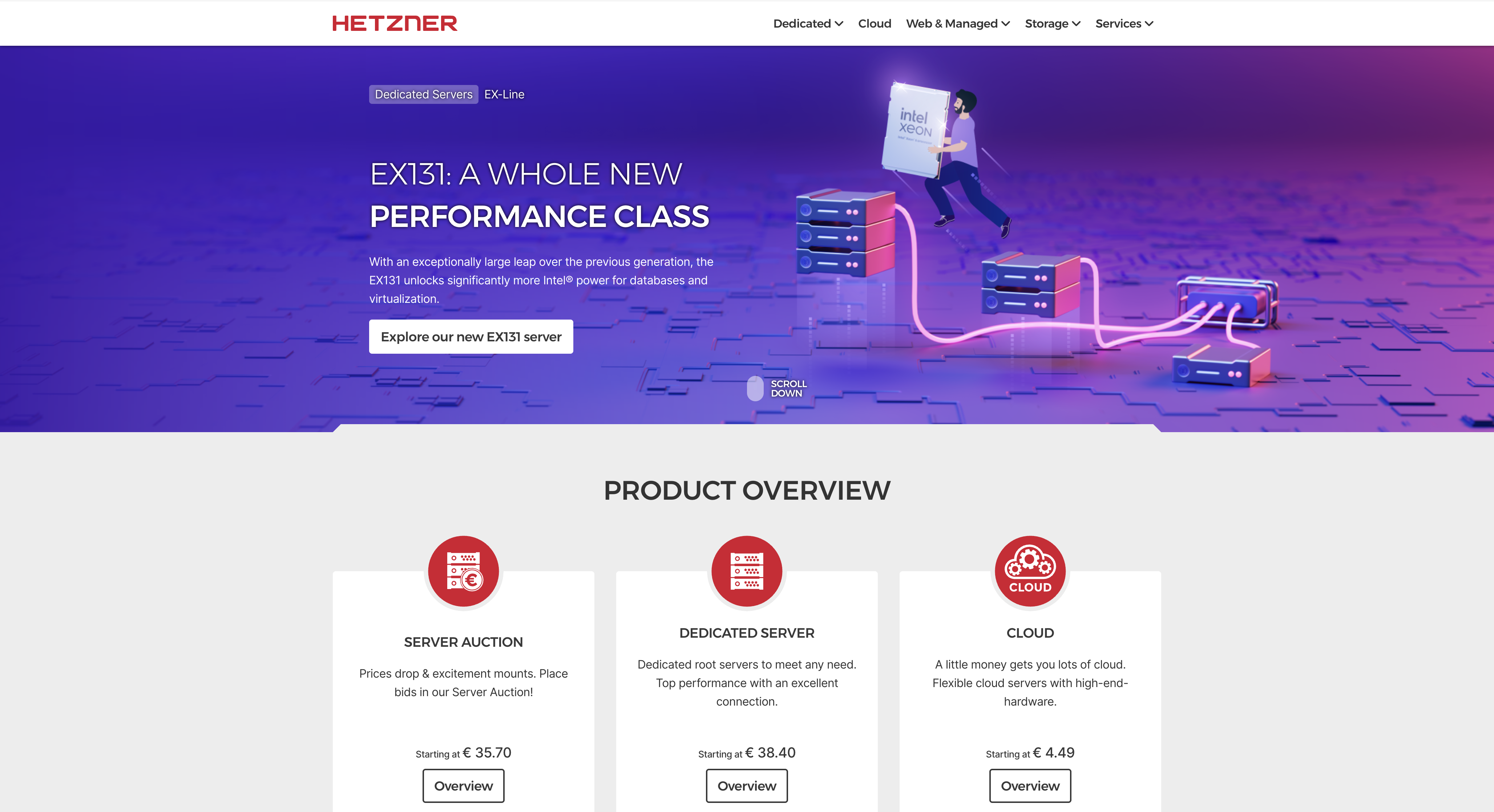
Hetzner is a German cloud and bare metal provider founded in 1997, offering virtual machines, dedicated servers, and storage solutions at some of the lowest prices in the market. It has built a strong reputation in developer and engineering communities as the go-to alternative when cost is the primary driver.
Best for: Cost-driven teams, particularly those based in Europe where Hetzner's pricing and transfer allowances are most competitive.
Key features:
- VMs from ~€3.99/month with NVMe storage and 20 TB transfer included in EU locations
- Bare metal from €39/month
- Data centers in Germany, Finland, the US, and Singapore, with GDPR compliance across all locations.
- Full Terraform, Ansible, and Docker support with a first-class hcloud CLI
Strengths:
- EU data residency, excellent connectivity, generous 20 TB transfer limits, and aggressive pricing make it the strongest cost alternative to AWS for European teams
- First-class API and Terraform provider support makes infrastructure-as-code automation straightforward
Weaknesses:
- No managed database or managed Kubernetes product.
- No live chat support and new account verification can delay access by up to 3 business days.
Pricing
Cloud VMs from ~€3.99/month. No egress fees within the included transfer allowance.
8. Oracle Cloud Infrastructure

Oracle Cloud Infrastructure (OCI) is Oracle's cloud computing platform offering compute, storage, networking, databases, and Kubernetes. It is best known for its Autonomous Database, a generous permanent free tier, and competitive pricing for Oracle-based workloads.
Best for: Teams and developers who want enterprise-grade cloud infrastructure at lower cost, with a permanent free tier.
Key features:
- Always Free tier with no time limits on more than 20 services including Autonomous AI Database, Arm Compute, and Storage, plus $300 in free credits for additional services
- Autonomous Database: self-tuning, self-securing managed Oracle Database with automated patching and scaling
- OKE: managed Kubernetes with free control plane
- Rich APIs and SDKs for Java, Python, Ruby, Go, plus Terraform and Grafana plugins
Strengths:
- Strong compute and network performance for latency-sensitive workloads, with more predictable pricing than competing clouds.
- The Always Free tier includes two compute instances, NVMe SSD-powered block storage, high-bandwidth object storage, and load balancing, with no expiration
Weaknesses:
- Dynamic scalability lags behind leading platforms, making OCI less effective for workloads with unpredictable or fluctuating demand
- Complex setup and management can be intimidating for new users, and OCI lags behind AWS and Azure in third-party integrations
Pricing
Always Free tier permanent. Compute from $0.0060/OCPU-hour.
9. Akamai Connected Cloud

Akamai Connected Cloud, formerly known as Linode, is a cloud infrastructure provider that combines straightforward IaaS with the global reach of Akamai's edge network. It offers compute, managed Kubernetes, object storage, and load balancers, backed by one of the largest content delivery and security networks in the world.
Best for: Developers and small to mid-sized teams that need reliable cloud infrastructure with built-in edge delivery, DDoS protection, and straightforward pricing.
Key features:
- Compute (Linode instances) from $5/month with SSD storage included
- S3-compatible Object Storage from $0.02/GB with a $5/month minimum, providing 1 TB of additional outbound transfer
- LKE: managed Kubernetes with free control plane
- NodeBalancers: managed load balancers at $10/month with SSL termination and passive health checks
Strengths:
- Stable networking and mature support channels, with added benefit for teams already using Akamai's CDN or security products.
- Phone support available, unlike most providers in this tier
Weaknesses:
- Narrower managed service portfolio than AWS, with limited enterprise tooling.
- Pricing has become less competitive since the Akamai acquisition
Pricing
Compute from $5/month. Object Storage from $0.02/GB.
10. IBM Cloud

IBM Cloud is a cloud computing platform offering infrastructure, platform services, AI, and hybrid cloud capabilities. It is built for enterprise workloads and is particularly strong in regulated industries, compliance-heavy environments, and organizations with existing IBM infrastructure.
Key features:
- FedRAMP High, HIPAA, GDPR, ISO 27001, SOC 2, and PCI DSS compliance coverage
- IBM Cloud Satellite: extends IBM Cloud to on-premises, edge, and other cloud environments
- IBM Z mainframe integration
- Watson AI services for enterprise workloads
Strengths:
- The strongest compliance coverage in this list, purpose-built for regulated industries.
- Direct link peering across cloud vendors that competing platforms do not match.
Weakness:
- Not a beginner-friendly platform. Setup and management are complex and geared toward enterprise procurement teams
Pricing
Virtual servers from $0.04/hour. Enterprise configurations require direct engagement.
Start saving with the best AWS alternative in 2026
For teams looking for a cost-effective AWS alternative, Rackspace Spot's open-market auction pricing delivers managed Kubernetes and compute at a fraction of what you are paying today. Evaluate it against your current cloud spend before your next billing cycle closes.
Frequently Asked Questions
Who is AWS's biggest competitor?
Microsoft Azure comes closest by market share. If you are looking outside the major hyperscalers, Rackspace Spot is worth considering for compute savings, Hetzner for cutting costs, and DigitalOcean if you want a simpler developer experience.
Is there anything better than AWS?
Rackspace Spot delivers significantly lower compute costs through its open-market auction model, making it a stronger option for infrastructure workloads, Kubernetes, batch jobs, and ML training.
What is the Big 3 of cloud computing?
The Big 3 are Amazon Web Services, Microsoft Azure, and Google Cloud Platform. For teams looking for a cost-effective alternative to all three, Rackspace Spot offers managed Kubernetes and cheap compute pricing that significantly undercuts hyperscaler rates.
Why is OCI better than AWS?
OCI is built specifically for Oracle workloads, offering tighter integration and lower costs than AWS. For compute-heavy workloads outside of Oracle, Rackspace Spot is worth evaluating as a more cost-effective alternative to both.
Is GCE cheaper than EC2?
For steady-state workloads, yes. GCE applies sustained use discounts automatically without requiring reserved instance commitments. Rackspace Spot offers a much cheaper option than both through its Virtual Machine Cloudspaces.
What can replace AWS?
Rackspace Spot covers the core compute and Kubernetes requirements at a fraction of the cost, making it the most direct replacement for teams looking to reduce their cloud spend without sacrificing infrastructure quality.
Is there a cheaper alternative to AWS for running a database and a web server?
Yes. Rackspace Spot's DBaaS starts at approximately $30/month compared to AWS RDS. While Rackspace Spot Servers start from $0.001/hr making them the cheapest alternatives on the market. Hetzner is also worth considering, with VMs from approximately €6.90/month including 20 TB transfer.
Are there any good alternatives to AWS for smaller ML workloads?
Yes. Rackspace Spot's server pricing makes compute significantly cheaper for training jobs, with spot instance compute costs starting at $0.001/hr, allowing you to run your ML workloads at very low costs.
What are good alternatives to AWS EKS for a multicloud strategy?
Rackspace Spot's managed Kubernetes Cloudspaces provide EKS-comparable cluster management at significantly lower compute costs, making it the strongest option for teams moving off AWS entirely. For teams that need to manage clusters across AWS, GCP, Azure, bare metal, and edge from a single control plane, Platform9 is the right choice.
Is self-hosting a viable alternative to AWS?
For predictable workloads, yes. Teams moving to Hetzner bare metal report savings of 70-90%. For teams that want cheaper compute without the overhead of managing their own hardware, Rackspace Spot is a strong alternative to both self-hosting and AWS.
What are the pros and cons of moving off AWS?
Pros: cost reduction, billing predictability, and reduced vendor lock-in. Cons: migration effort, loss of AWS integrations, and hidden dependencies. For teams moving to Rackspace Spot, the migration process is straightforward, with full Terraform support, a CLI, and documentation to get your workloads running quickly.