
SSH Access
Connect to your virtual machines using SSH. You can either specify a new SSH key or select an existing key when creating a VM cloudspace.
Adding an SSH Key
Step 1: Generate a Key (if needed)
Open a terminal and run:
Press Enter to accept the default location (~/.ssh/id_ed25519).
Step 2: Copy Your Public Key
Copy the entire output, which looks like:
Step 3: Add to Dashboard
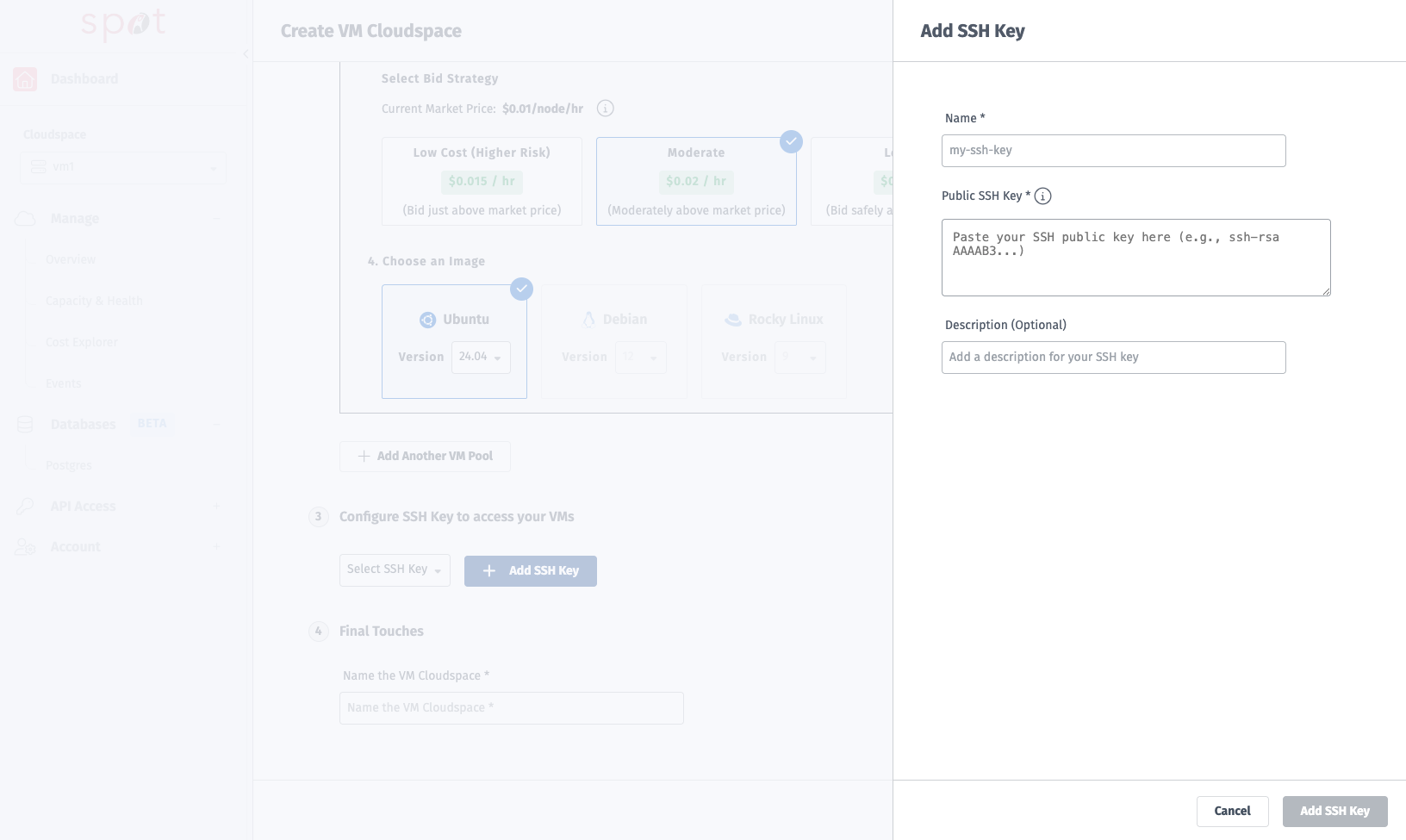
Navigate to SSH Keys in the sidebar or in the Create VM Cloudspace menu
Click Add SSH Key
Enter a name (e.g.,
my-ssh-key)SSH Key names must be kebab-case
this-is-kebab-case
Paste your public key
Click Add Key
Connecting to a VM
Find Your VM's IP Address
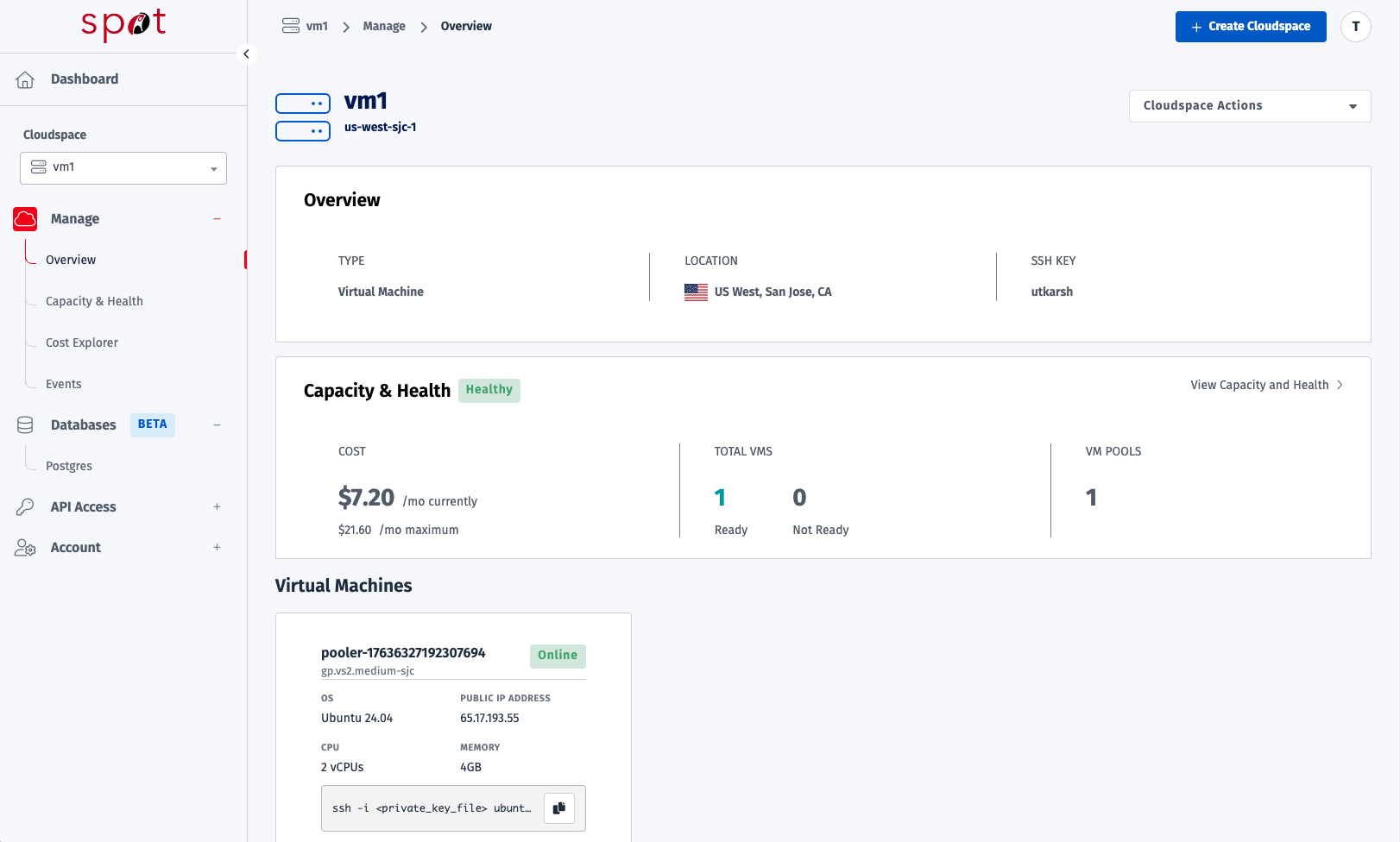
Go to your VM Cloudspace Overview page
Locate the Virtual Machines section
Find the IP address for your VM under "Public IP Address" section of overview
Connect via SSH
Use the SSH command shown on the VM card:
Example:
First Connection
On your first connection, you'll see a fingerprint verification prompt:
Type yes to continue.
Default Usernames
OS Image | Username |
|---|---|
Ubuntu 24.04 |
|
Using a Specific Key
If you have multiple SSH keys, specify which one to use:
SSH Config (Optional)
Simplify connections by adding an entry to ~/.ssh/config:
Then connect with:
Troubleshooting
Permission Denied
Cause: Wrong SSH key or key not added to Rackspace Spot.
Fix:
Verify the correct key is uploaded in SSH Keys
Use
-ito specify the correct private keyCheck file permissions:
chmod 600 ~/.ssh/id_ed25519
Connection Timeout
Cause: VM not ready or network issue.
Fix:
Check VM status on the Overview page (should show an IP address)
Wait for VM to finish provisioning
Verify your network allows outbound SSH (port 22)
Host Key Verification Failed
Cause: VM was recreated with a new host key.
Fix:
Then reconnect.
Security Best Practices
Practice | Description |
|---|---|
Use Ed25519 keys | More secure than RSA |
Protect private keys | Never share your private key |
Use SSH config | Avoid typing IPs repeatedly |
Rotate keys periodically | Update keys every 6-12 months |
Next Steps
Overview - Introduction to Spot VMs
Manage and Scale VMs - Learn how to scale and monitor your VMs